Published
Clean the car, shoot in soft, even light, and deliver a complete set of photos that show the vehicle as it really is. Buyers expect key angles plus interior, odometer, trunk and clear close-ups of any flaws, with only basic edits like exposure, straightening and cropping. Once your set is ready, you can list free on SmartMotors.ca.
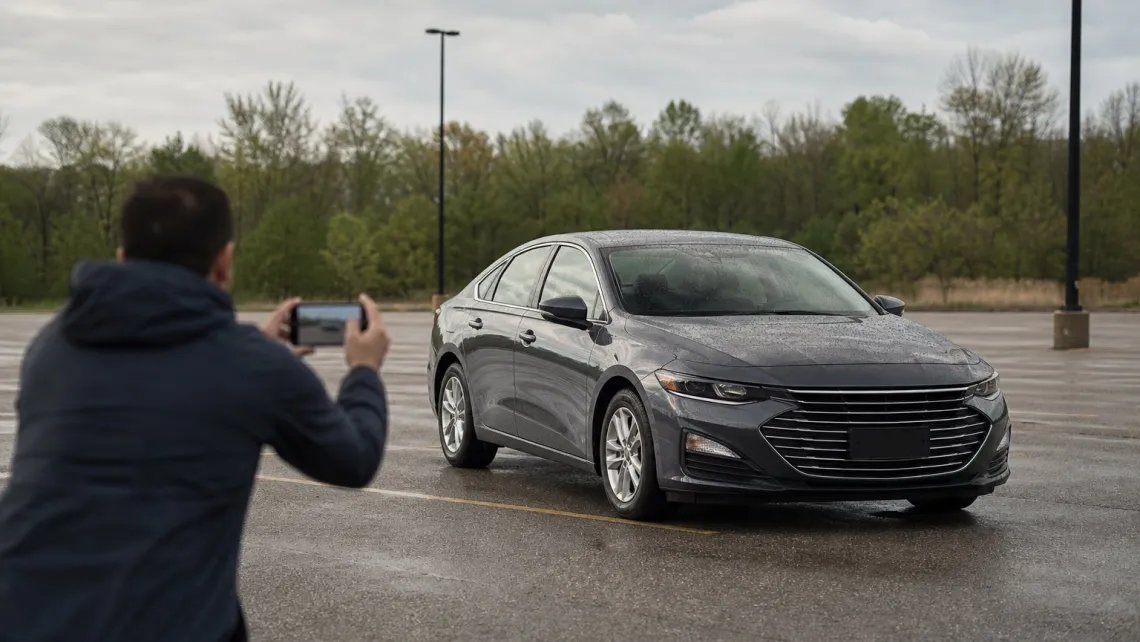
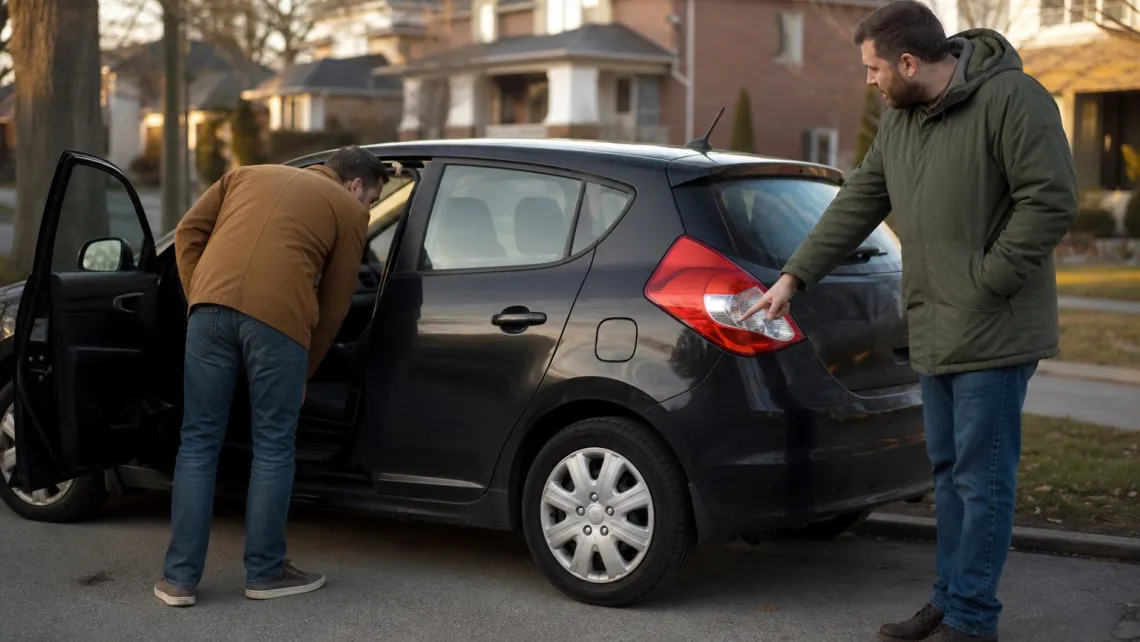
Good car photos come down to four things: a clean car, even light, a tidy background and a full set of shots that shows the car as it really is. You can do all of it with a phone in about an hour. If you are selling in Ontario, list the car free on SmartMotors.ca once the photos are ready. If you are buying, the same checklist tells you which listings are worth a call.
List Your Car Alongside Clear Photos
Once your photos are ready, SmartMotors helps Ontario sellers list their cars on a marketplace with a free listing service.
TL;DR
- Clean and detail the car first, and remove anything that is not part of the sale.
- Shoot in soft light (early morning, late afternoon or overcast), at about window height, with the whole car in frame.
- Cover the standard set: three-quarter front, front, both sides, rear, interiors, odometer, trunk and any flaws.
- Edit only for exposure, straightening and cropping. Never hide a dent, scratch or rust spot.
- Buyers: treat a seller who only sends the ad’s own photos and won’t let you see the car as a warning sign.
Table of Contents
- Why photos decide whether buyers call
- Prepare the car before you take a single photo
- Light and location
- Camera angles that work with a phone
- The shot list buyers expect
- Editing: what is fine and what misleads
- Where to post your photos: SmartMotors.ca
- For buyers: reading listing photos before you call
- A 10-minute photo checklist
- FAQ
- Sources
Why photos decide whether buyers call
A buyer scrolling through listings decides in seconds. Price and mileage get a car onto the shortlist, but the photos decide whether the buyer messages you or moves on. Blurry, crooked or cluttered images say the seller does not care about the car. A clear, complete set says the opposite, and it saves you time because serious buyers ask fewer basic questions.
The pages that rank for this search are mostly stock photo libraries and dealership homepages. None of them tell a private seller what to actually shoot. This guide does.
Prepare the car before you take a single photo
Photos show every smudge. Start with the car, not the camera.
- Wash and wax the outside. Finder Canada’s selling guide recommends cleaning the car inside and out, including tires, engine and upholstery, before photographing it.
- Clean the interior. Vacuum, wipe the dash and door panels, and clear the cup holders and door pockets.
- Remove what is not for sale. B&H’s photo guide suggests taking out chargers, phone mounts and similar items, and removing rubber floor mats if the fabric ones underneath are clean and in good shape.
- Decide about the number plate. Visible plates let buyers check a vehicle’s history, while some sellers cover them for privacy. Pick one approach before you start and use it in every photo.
If you also have the paperwork ready, mention it in the description. Our guide to the Used Vehicle Information Package explains what Ontario sellers hand over, and the Safety Standards Certificate page covers the certificate and its 36-day validity.
Light and location
Light matters more than the camera. Driving.ca advises avoiding harsh sun and shadow contrast: an overcast day or even shade gives the most even colour. Finder Canada suggests early morning or late afternoon for the same reason. Midday sun creates glare on the paint and dark, unreadable shadows under the bumpers.
For the background:
- Be ready to move the car. CARFAX Canada says to find a clean background and avoid clutter such as a neighbour’s house or other cars.
- Watch for trees, poles or signs in the distance that look like they are growing out of the roof.
- Skip the crowded lot or the driveway packed with other vehicles. An empty parking lot, a quiet street or a park edge works well.
Pick one spot and shoot every exterior photo there, so the set looks consistent.
Camera angles that work with a phone
You do not need a dedicated camera. You need good habits.
- Keep the phone level. Driving.ca notes that crooked shots look unprofessional and suggests lining up the licence plate with the rearview mirror as a quick level check.
- Shoot from window height. Crouch slightly so the camera lines up with the bottom of the windows. Roland Szabó’s guide suggests waist or headlight height.
- Back up and zoom a little. CARFAX Canada says getting too close distorts the car, so step back and use zoom, and kneel so the photo is at eye level with the car.
- Skip the ultra-wide lens and heavy digital zoom. Both change the car’s proportions or degrade the image.
- Leave breathing room. Keep the whole car in the frame with a margin, so you can crop later without cutting off a bumper.
- Turn the steering wheel. In angled shots, turn the wheel so the face of the alloy wheel points at the camera.
The side profile is worth extra care. Photographer Zach Brehl told Driving.ca that the side profile is the angle where you can fully judge a car, because it shows overhang, wheels and stance.
The shot list buyers expect
CARFAX Canada lists the typical shots: front three-quarter, front, both side profiles, rear, front and rear interior, odometer, trunk and a rear three-quarter view. Use it as your base and add the extras below.
| Shot | What it tells the buyer | Tip |
|---|---|---|
| Front three-quarter | Overall look and condition | Make it the cover photo |
| Front and rear | Bumpers, lights, plate area | Keep the camera level |
| Both sides | Panel gaps, dents, stance | Shoot at window height |
| Front seats and dash | Wear, controls, screens | Open the doors for light |
| Rear seats | Space and upholstery | Shoot from the door opening |
| Odometer | Actual mileage | Ignition on, no warning lights if possible |
| Trunk | Space and spare | Empty it completely |
| Engine bay | Cleanliness, leaks | Optional but reassuring |
| Wheels and tires | Tread and curb rash | One close-up per corner if worn |
| Flaws | Honesty and trust | Close-up, with context |
For flaws, show a close-up plus a wider shot so the buyer can see where the mark is on the car. CloudPano’s dealership guide recommends at least three damage close-ups when flaws exist. A car with a disclosed scratch sells faster than one with a surprise scratch at the viewing.
Editing: what is fine and what misleads
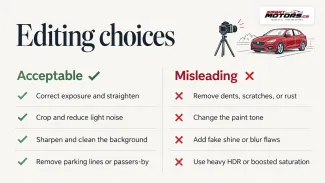
Editing is allowed. Hiding things is not. The line is simple: you can make the photo a truer picture of the car, never a better car than the one in the driveway.
Fine: exposure correction, straightening, cropping, light noise reduction, sharpening and background cleanup, according to CloudPano. CARFAX Canada adds that you can edit out distractions like parking lines or a passer-by.
Misleading: removing dents, scratches or rust, changing the paint tone, adding fake shine or blurring flaws. Heavy HDR, boosted saturation and artificial background blur also make it harder to judge the real car.
The practical reason is blunt. Anything you hide shows up when the buyer inspects the car in person, and then the sale usually ends.
What Ontario rules say for dealers
If you are a dealer, this is also a legal matter. Ontario’s Motor Vehicle Dealers Act, 2002 prohibits registrants from making false, misleading or deceptive statements in advertising. OMVIC’s Advertising Guideline says that if an ad uses a photo of a vehicle other than the one for sale, the picture must accurately reflect the make, model, trim level and condition, and the ad must clearly state that it is not the actual vehicle. OMVIC’s May 2026 guidance adds that photos should represent the current condition of the vehicle, and that outdated images cause confusion and complaints.
In practice: reshoot after reconditioning, and do not use the manufacturer’s stock image as the main photo of a used unit.
Photos are not a history report
Photos show how a car looks today. A history report covers reported events such as accidents or registrations. Motuva makes this point for Canadian dealers: photos and CARFAX Canada reports are two different kinds of evidence, so a nice gallery should never be presented as a mechanical certification. Our walkthrough on how to read a CARFAX Canada report shows buyers what to look for beyond the pictures.
Where to post your photos: SmartMotors.ca

Once you have 15 or so good images, you need a place where Ontario buyers actually look. SmartMotors.ca is built for Ontario: listings are free, and you upload your vehicle details and photos in one form. Buyers filter by city, price, brand, model, year, mileage and fuel type, so a clean listing with accurate details appears in the right searches. The site works in English and French, and the interface is mobile-friendly, which suits sellers who shoot and upload from a phone.
The free plan costs 0 CAD per month and has a limited number of listings each month. If you sell more cars, the Premium membership is 99.99 CAD per month and Premium Plus is 199.99 CAD per month. To put one car in front of more buyers, a 14-day featured placement is a one-off 29.99 CAD. Dealers with large inventories can ask about the bulk import service. See the plans before you upload.
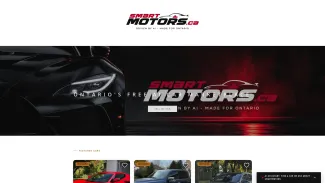
Your listing can also include a CARFAX Canada report through the integration, and buyers contact you through WhatsApp or phone, so your photos start a conversation rather than a stranger’s email chain. Read the user reviews to see how other sellers use the platform.
For buyers: reading listing photos before you call
Buyers use photos as a filter. A few habits make that filter work.
- Look for the full set. A listing with only one or two images, or only stock images, tells you little. A full set with odometer, interior and close-ups is a good sign.
- Check consistency. The same car, same plate, same background and light throughout. Mismatched seasons or locations are a reason to ask questions.
- Ask for a fresh photo or a viewing. Alberta’s regulator warns that illegal sellers known as curbers often only send photos already uploaded on the ad and won’t let you see the vehicle in person. The advice generalizes: no viewing, no deal.
- Know the scale of the problem. Square One reports that OMVIC estimates 25% of private vehicle listings posted online are by curbsiders, which are unlicensed sellers posing as private owners.
- Match the VIN. BC’s insurer tells buyers to check that the VIN on the registration matches the VIN plate, and the same check is sensible in Ontario.
- Get an inspection. Square One advises a pre-purchase inspection and pulling the history report yourself.
On SmartMotors.ca, sellers are verified, and you can browse cars for sale in Ontario, narrow to a city such as Toronto or London, or check the featured cars. Photos still do not replace a test drive, and the tax side matters too: see how RST and HST apply to used cars in Ontario before you agree on a price.
A 10-minute photo checklist
- Wash, vacuum, remove personal items.
- Choose a clean, quiet background and soft light.
- Clean your phone lens.
- Shoot the three-quarter front first, then the full exterior set at window height.
- Open the doors and shoot the interior, dash and odometer.
- Photograph the trunk, wheels and any flaws up close.
- Delete blurry or duplicate shots, crop and straighten.
- Put the best three-quarter shot first.
- Write a description that matches what the photos show.
- Upload the set to your listing.
FAQ
How many photos should a car listing have?
Cover the standard set: front three-quarter, front, both sides, rear, interiors, odometer and trunk, as listed by CARFAX Canada, plus close-ups of any flaws. That is usually 12 to 20 images. Check the upload form of the site you use for its limit.
Can I take good car photos with just a phone?
Yes. Keep the phone level, shoot from window height, step back and zoom slightly rather than using the ultra-wide camera, and choose soft light. Clean the lens first. Technique matters far more than the device.
Is it okay to edit my car photos?
Light edits that correct exposure, straighten and crop are fine, as is removing distractions from the background. Removing dents, scratches or rust, or changing the paint colour, misleads buyers. Ontario dealers are also bound by the Motor Vehicle Dealers Act, 2002 on truthful advertising.
How do I find cars for sale near me in Ontario?
Use a marketplace with location filters. On SmartMotors.ca, you can filter by city, price, brand, model, year, mileage and fuel type, and browse city pages such as Toronto and London. Listings are free to post, and buyers never pay.
What photos should I check before contacting a seller?
Look for a full set, including interior, odometer and close-ups, with the same car and background throughout. Be cautious if a seller sends only the ad’s own photos and refuses a viewing, and always match the VIN to the ownership documents.
Sources
- Selling a Used Car? Here are 20 Photo Tips, B&H eXplora
- How To Sell a Car in Alberta, Finder Canada
- Sell a Used Car: How to Take Great Photos, CARFAX Canada
- Better Photos for Your Used-Car Listing, Roland Szabó
- Photo Guidelines, Driving.ca
- A few simple photography tips, Driving.ca
- How to Avoid Misleading Edits in Vehicle Photos, CloudPano
- Motor Vehicle Dealers Act, 2002, Ontario
- Advertising Guideline, OMVIC
- All-in price advertising, OMVIC
- CARFAX Canada and car photos, Motuva
- Consumer guide: spotting a curber online, AMVIC
- Used Car Scams, Square One
- Used Vehicle Buyers’ Checklist, ICBC